
Download ABBYY FineReader PDF – OCR, PDF Editing, Convert & Secure
Overview
ABBYY® FineReader PDF for Mac® est une solution PDF premium basée sur la reconnaissance optique de caractères (OCR) conçue spécialement pour macOS. Elle va bien au‑delà du convertisseur « PDF vers Word » classique en offrant un environnement complet où vous pouvez numériser, modifier, convertir et sécuriser des documents—le tout depuis une interface unique, centrée sur le Mac. L’application exploite le moteur de reconnaissance optique de caractères leader du secteur d’ABBYY pour transformer le papier, les images et même les scripts complexes (comme le gothique ou le Fractur) en PDF recherchables et éditables ou en formats d’exportation tels que Microsoft Word, Excel, PowerPoint et texte brut.
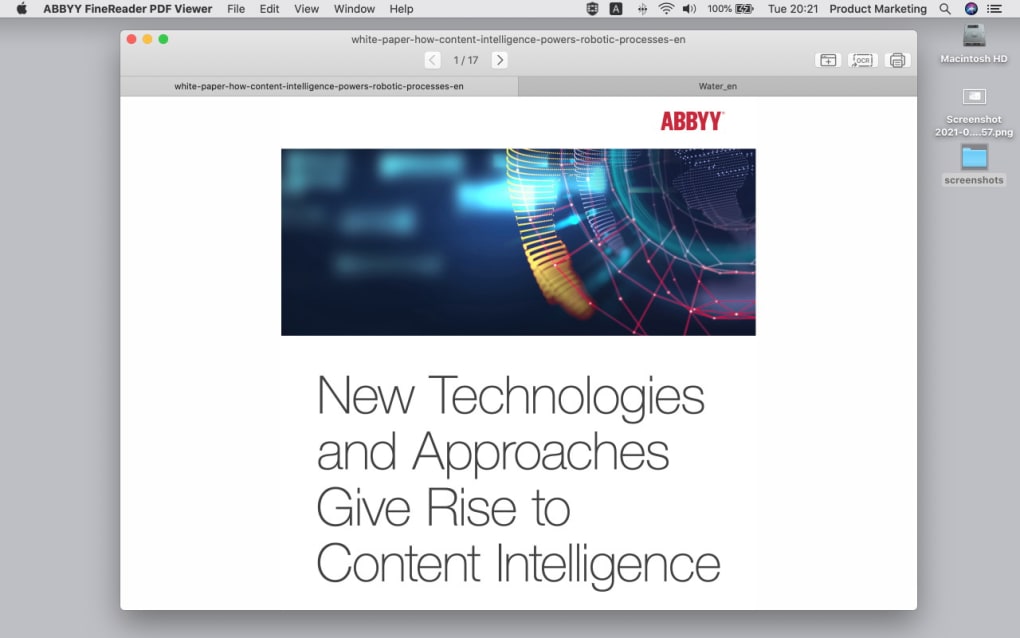
Ce qui distingue FineReader, c’est son intégration profonde avec l’écosystème Apple : il respecte le mode sombre, fonctionne parfaitement avec Continuity Camera et adopte l’apparence native de macOS, ce qui réduit la courbe d’apprentissage tant pour les utilisateurs avancés que pour les éditeurs occasionnels. En pratique, cela signifie que vous pouvez prendre un contrat physique, le numériser avec votre iPhone, laisser FineReader reconnaître automatiquement le texte, puis modifier ou annoter le PDF sur votre Mac sans jamais quitter le flux de travail Apple. Le logiciel est également conforme aux normes d’archivage telles que PDF/A et aux directives d’accessibilité (PDF/UA), garantissant que vos documents restent pérennes et accessibles à tous les utilisateurs.
Que vous soyez un professionnel du droit ayant besoin d’une préservation précise des documents, un chercheur manipulant des sources multilingues ou un petit entrepreneur cherchant à remplacer plusieurs outils distincts, ABBYY FineReader PDF regroupe les fonctionnalités requises en une seule application sécurisée, continuellement mise à jour.
Key Features
- Advanced OCR Engine – Recognizes over 200 languages, including complex scripts, with up to 99.9% accuracy.
- PDF Editing Suite – Add, delete, or rearrange pages; annotate, comment, and apply digital signatures.
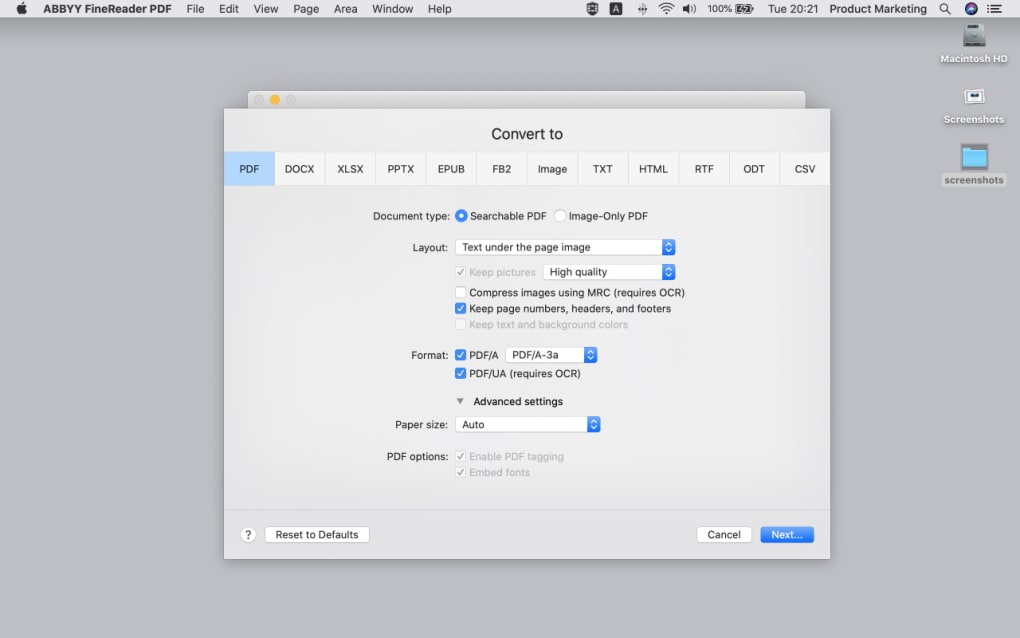
- Multi‑Format Export – Convert PDFs to Word, Excel, PowerPoint, HTML, and searchable PDF/A.
- Secure Document Handling – Password protection, redaction, and digital rights management.
- Mac‑Native Integration – Supports Dark Mode, Continuity Camera, Touch Bar, and Apple Script.
- Batch Processing – Automate conversion of multiple files or scanned images in one go.
- Cloud Connectivity – Direct save to iCloud, Dropbox, Google Drive, and OneDrive.
- Accessibility Compliance – PDF/UA support ensures documents are readable by assistive technologies.
- Document Comparison – Highlight differences between two PDF versions, ideal for contract reviews.
- Built‑in PDF/A Validation – Guarantees long‑term archival quality and legal compliance.
Installation, Usage & Compatibility
Getting Started
Downloading ABBYY FineReader PDF is straightforward. Visit the official ABBYY website, click the Download for macOS button, and the installer package (.dmg) will begin downloading. After the download completes, double‑click the .dmg file, drag the FineReader icon into your Applications folder, and launch the app. The first run triggers a brief activation wizard where you can either enter a purchased license key or start a 30‑day free trial. The trial version offers full feature access, allowing you to evaluate OCR accuracy, batch conversion speed, and the editing toolkit before committing to a purchase.
Everyday Workflow
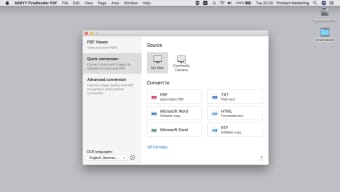
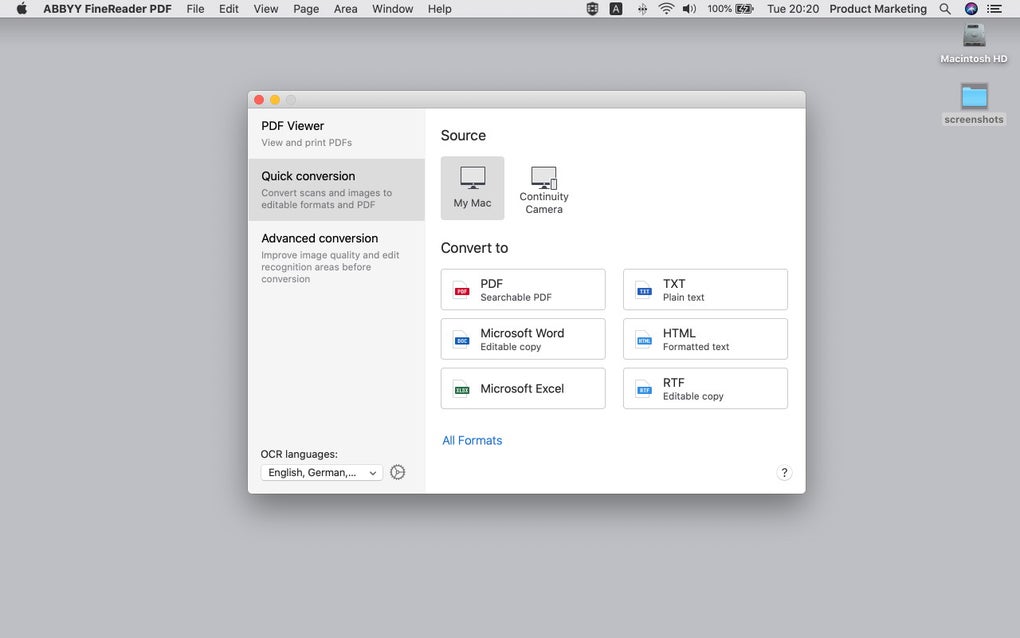
Once installed, the main window presents a clean toolbar with three primary tabs: Scan & OCR, Edit PDF, and Convert & Export. To digitize a paper document, select the Scan tab, choose your source (built‑in Mac scanner, external device, or iPhone via Continuity Camera), and click Start Scan. FineReader automatically detects page orientation, applies deskew, and launches the OCR engine. After the scan finishes, the recognized text becomes searchable, and you can immediately add annotations, fillable form fields, or redact sensitive information.
For existing PDFs, the Edit tab offers page manipulation tools, text editing directly on the page, and a robust set of annotation options (highlights, comments, stamps). When you need to share a document in another format, the Convert tab lets you select the target (e.g., Microsoft Word) and specify export settings such as layout retention or plain text extraction. Batch conversion is accessible via the File → Batch Process menu, where you can queue dozens of files, apply a single OCR language, and output to a chosen folder.
System Requirements
macOS Compatibility – FineReader PDF requires macOS 12 Monterey or later. It runs natively on Apple Silicon (M1, M2) and Intel‑based Macs, automatically selecting the optimal architecture during installation. Minimum hardware recommendations include 4 GB RAM (8 GB recommended) and 1 GB of free disk space for temporary files and the OCR engine.
Because the software is built with Apple’s security framework, it requests permission to access your Documents folder, Camera (for Continuity scans), and the Files and Folders you select for export. These permissions are managed through the standard macOS privacy settings, ensuring a secure, sandboxed environment.
Pros and Cons
What Users Love
- Industry‑leading OCR accuracy across more than 200 languages.
- All‑in‑one solution eliminates the need for multiple PDF utilities.
- Seamless macOS integration—Dark Mode, Touch Bar, and Continuity support.
- Robust security features: password protection, redaction, and PDF/A compliance.
- Efficient batch processing saves time on large document sets.
- Regular updates keep the OCR engine and UI current with macOS releases.
Areas for Improvement
- Higher price point compared to basic PDF converters.
- Initial learning curve for advanced features like document comparison.
- No native Windows version included in this Mac‑specific bundle.
- Limited cloud‑only workflow; still requires local installation.
- Export to some niche formats (e.g., LaTeX) is not supported.
Review Summary: ABBYY FineReader PDF delivers a comprehensive, Mac‑first experience that merges powerful OCR with a polished editing suite. While the price may be a barrier for casual users, the accuracy, security, and workflow integration justify the investment for professionals who handle large volumes of documents daily.
Frequently Asked Questions
Can I use ABBYY FineReader PDF on a Windows PC?
This specific product is built for macOS only. ABBYY offers a separate Windows version called “ABBYY FineReader PDF for Windows” that provides similar OCR and PDF editing capabilities.
How accurate is the OCR for multilingual documents?
The OCR engine supports more than 200 languages, including complex scripts like Cyrillic, Arabic, and Gothic. In independent tests, accuracy consistently exceeds 99 % for clear scans and remains above 95 % for lower‑quality images.
Is there a free version or trial available?
ABBYY offers a 30‑day free trial with full feature access. After the trial expires, you’ll need to purchase a license to continue using the software.
Can I secure PDFs with passwords and redaction?
Yes. FineReader PDF includes robust security tools that let you add password protection, apply redaction to permanently remove sensitive data, and create PDF/A‑compliant archives for long‑term preservation.
Does the software integrate with cloud storage services?
FineReader PDF offers direct save and open options for iCloud, Dropbox, Google Drive, and OneDrive, making it easy to keep your documents synchronized across devices.
Conclusion & Call to Action
ABBYY® FineReader PDF for Mac® sets a high bar for PDF conversion and editing on the Apple platform. Its combination of industry‑leading OCR accuracy, native macOS design, and a comprehensive toolset makes it a worthwhile investment for anyone who regularly works with scanned documents, multilingual content, or needs secure, standards‑compliant PDFs. While the price may be higher than basic converters, the productivity gains—thanks to batch processing, integrated editing, and seamless cloud connectivity—often pay for themselves within a short period.
If you’re ready to streamline your document workflow, eliminate the need for multiple apps, and enjoy the confidence of superior OCR technology, download ABBYY FineReader PDF today. Click the button below to start your free trial or purchase a perpetual license and experience the most complete PDF solution for macOS.
Download Now






